10 WFH Rules for a Calm Home Lifestyle

What's in this list
- 01The Fake Commute: Walking Before Work
- 02Closing the Laptop: Visual Closure Rituals
- 03Dedicated Work Zones vs Rest Zones
- 04Managing Digital Noise and Notification Alerts
- 05Ergonomic Comfort Without Office Clutter
- 06Midday Reset: Changing the Air
- 07Transition Scents for the End of Shift
- 08Designing a Hideaway Desk Solution
- 09The Importance of Lunch Away From Screens
- 10Scheduling True Blank Space in Your Day
The laptop closes at 6:00. The shoulders stay tense until 9:00. That gap, the lag between stopping work and actually feeling off the clock, is where remote life quietly wears you down.
Most advice about working from home is about getting more done. This list does the opposite. It’s about steadier remote work boundaries: the handoff between work and rest, the part nobody trained us for when the office walked into the kitchen.
Some of these rules are spatial. Some are about timing, scent, or the air in the room. Rule #6 is the one people skip most often, and it costs almost nothing.
The Fake Commute: Walking Before Work
A commute did something you probably never noticed: it gave your brain a buffer. Twenty minutes of nobody asking anything of you, a clean line between home-self and work-self.
Remote work deletes that line. You roll from bed to desk in ninety seconds, and a transition that used to happen automatically now has to be built by hand.
A fake commute rebuilds it. Step outside, walk a loop around the block, come back through the front door like you’ve arrived somewhere. The walk can be ten minutes. The signal it sends is bigger: work starts now, and it has edges.
Consistency is what makes it stick. Twice a week, it’s just a walk. Every morning, and your body starts treating the front door as the door to the office.
Closing the Laptop: Visual Closure Rituals
When work and home share the same square footage, your mind has trouble filing the day as finished. Research on remote workers shows the pattern: when the physical line between job and household dissolves, psychological strain climbs and switching off at night gets harder [1].
A closure ritual gives your brain the cue it’s missing. Shut the laptop all the way, lid down, actually off. Stack the notebook. Push the chair under the desk. Some people throw a cloth over the monitor.
What you do matters less than doing it every time. You’re teaching yourself one message: the workday has a visible ending. After a few weeks the ritual starts working as permission, and the open tab or the unsent reply gets easier to leave until morning.
Dedicated Work Zones vs Rest Zones
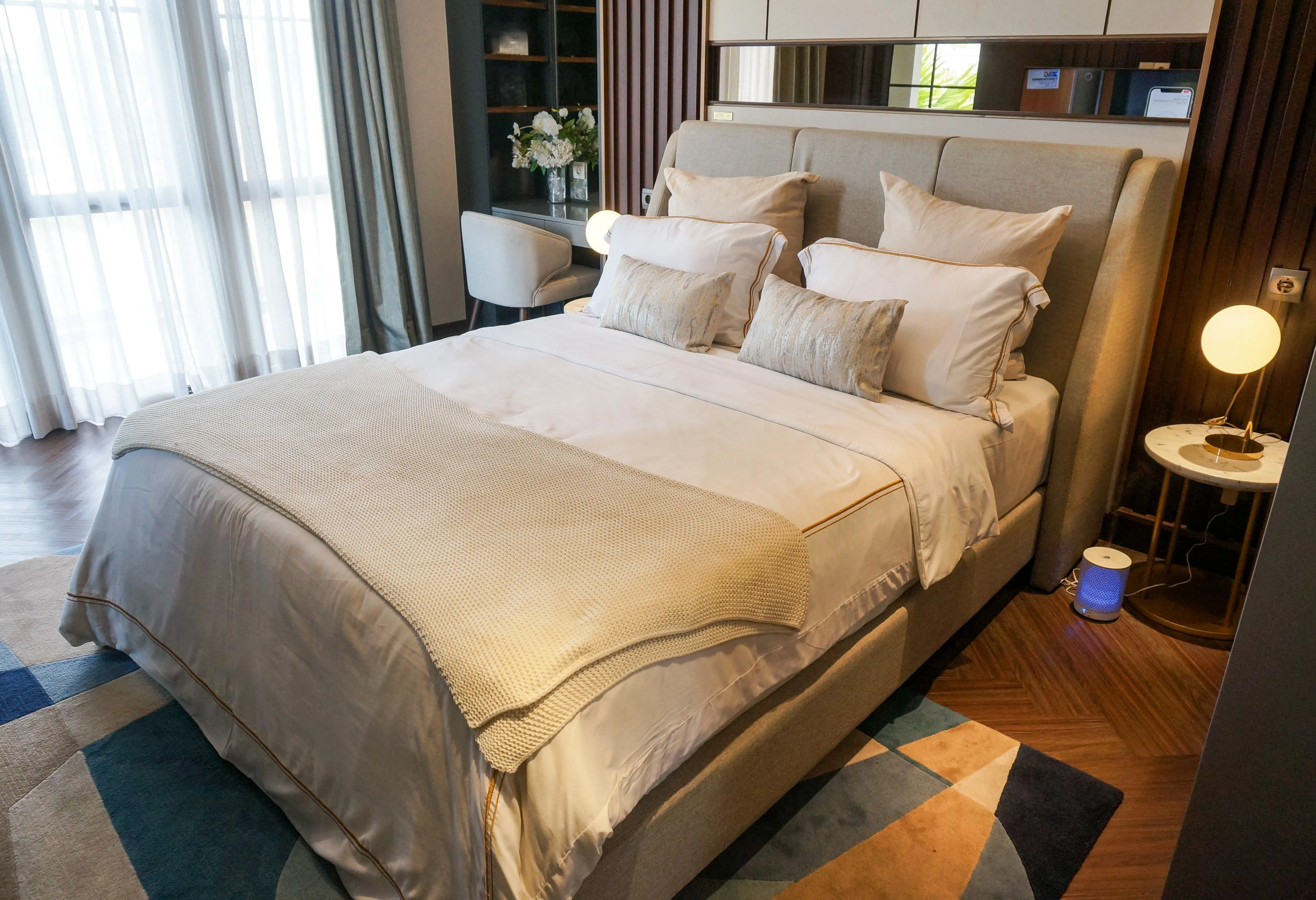
The couch can’t be both your office and your sanctuary. When it tries, it usually fails at the second job.
Good office organization at home starts with zoning. One area is work. Everything else is off-limits to the job. The bed is for sleep, the kitchen table is for meals, and the work corner, however small, takes the spreadsheets and the calls.
This does real work for your mental health. Evidence on home-based work links the lack of physical separation between job and household to higher strain and more overwork [1].
No spare room? A zone can be one chair, a particular rug, a corner that only counts as the office while you’re sitting in it.
Managing Digital Noise and Notification Alerts
A notification is a small demand for your attention, and a phone that buzzes after hours keeps the workday technically open long past its close.
This is where wfh burnout usually hides. The eight focused hours rarely do the damage. The scattered pings at 9pm do, along with the Slack badge you catch during dinner and the low-grade sense that you’re never quite unreachable.
The fix is mechanical. Silence work apps on a schedule. Move them off the home screen. Give the work software its own browser profile, or better, its own device, so it has a place it lives and a time it sleeps.
Work life balance here mostly means deciding in advance which alerts get to interrupt your evening. For most jobs, the honest answer is almost none.
Ergonomic Comfort Without Office Clutter
A calm space and a comfortable body are more closely linked than they look. Hunch over a kitchen chair for six months and the back pain becomes its own low hum of stress.
Comfort doesn’t require turning the living room into a gear showroom, though. The trap is overcorrecting: monitor arms, cable trays, a footrest for every mood, until the whole home feels colonized by the job.
Aim for ergonomic basics that disappear when the day ends. A chair that supports your lower back. A screen at eye level. A setup you can tidy away in two minutes.
Office organization is partly about what you can put away. The fewer work objects bleeding into your rest zones, the less the job stares back at you from across the room at 8pm.
Midday Reset: Changing the Air

Around 2pm the room goes stale. The air is part of it, but mostly it’s the sameness: same light, same chair, same screen, hour after hour.
Changing the air breaks it. Open a window wide for two minutes, even in winter. Let cold, moving air cross the room. Stand in it.
This rule earns its keep because it’s nearly free and takes under five minutes. There’s nothing to buy and nothing to install.
The physical jolt is mild. The bigger effect is the interruption: for two minutes you’re standing in moving air instead of sitting in the same warm spot you’ve occupied since nine.
Transition Scents for the End of Shift
Scent takes an unusually direct route to the brain, which is why a smell can drop you into a memory before you’ve even named it.
That makes it a useful boundary tool. Pick one smell for the end of the workday and use it only then. A specific candle. A pot of tea. A few drops of eucalyptus on a cloth.
The first week it means nothing. By the third, the scent itself starts to say the evening has begun. You’re building an association on purpose, the same job the old commute used to do without asking.
It pairs well with the closure ritual above. Close the laptop, light the candle, and the switch from work-self to home-self picks up a cue you can actually smell.
Designing a Hideaway Desk Solution
The hardest thing about a small home is that the work won’t leave the room when you do. The desk sits there all evening, a billboard for tomorrow’s tasks.
A hideaway setup makes the office vanish on command. A fold-down desk that closes flush to the wall. A cabinet that swallows the whole arrangement behind a door. A cart you wheel into a closet at six.
The point is reversibility. When the work surface disappears, the space goes back to being yours, and the visual reminder of the job goes with it.
This is office organization in service of calm rather than productivity. In a studio or a shared room it comes close to essential. When the desk folds flat at six, the room you spend your evening in stops advertising tomorrow’s tasks.
The Importance of Lunch Away From Screens
Eating at the desk while you scroll a dashboard is not a break. The body refuels; the attention never resets.
There’s a measurable reason to step away. Studies of sustained attention show performance degrades the longer we stay locked on one task, and that briefly disengaging interrupts the decline and protects focus over the long haul [2]. A screen-free lunch is exactly that kind of disengagement.
Leave the work zone. Eat somewhere else, ideally a rest zone you’ve already defined, and leave the laptop and the work phone behind.
Twenty minutes of real separation does more for your afternoon than an hour of grazing at the keyboard. Call it work life balance in miniature: twenty minutes, a different chair, food without a dashboard next to it.
Scheduling True Blank Space in Your Day
Calendars fill themselves. Leave a slot open and it becomes a meeting, until the day is an unbroken wall of obligation that quietly feeds wfh burnout.
Blank space pushes back. Block out stretches that stay genuinely empty, protected gaps with nothing scheduled and nothing expected, and resist the urge to treat them as overflow for whatever runs long.
The value runs two ways. Empty time gives you the brief disengagement that helps focus recover, which the attention research supports [2]. It also protects your mental health by keeping the day from becoming a sprint with no exits. Guard these blocks the way you’d guard a meeting with someone important, because that’s roughly what they are.
A calm home lifestyle while working remotely comes from rebuilding, by hand, what an office used to hand you for free: a threshold to cross in the morning, a zone that holds the job, a visible ending, a gap in the middle of the day nobody can book.
If you try only one rule, make it the midday reset in #6. It costs nothing, takes under five minutes, and most people walk right past it because it looks too simple. Open the window, stand in the cold air for two minutes, then go back to work.
None of these rules will make you more productive, and none of them are trying to. The zones, the rituals, the blank space on the calendar are all aimed at the same evening: laptop closed at six, shoulders down by seven, and nothing in the room still asking you for anything.
References
- (2023). A Systematic Review of the Impact of Remote Working Referenced to the Concept of Work-Life Flow on Physical and Psychological Health. Workplace Health & Safety. https://pmc.ncbi.nlm.nih.gov/articles/PMC10612377/
- (2011). Brief and rare mental "breaks" keep you focused: Deactivation and reactivation of task goals preempt vigilance decrements. Cognition. https://doi.org/10.1016/j.cognition.2010.12.007
The fire's still going.
Stoke another read →